
I’ve been shooting on location in Seattle long enough to know that “you can’t photograph here” is something every photographer hears eventually. Sometimes it’s a security guard at a waterfront property. Sometimes it’s a building manager who clocks your tripod from across the lobby. And occasionally, in the most frustrating version of this scenario, you’ve already gotten the shot — the light was perfect, the composition clicked, you nailed it — and now someone is standing in front of you asking you to delete your entire memory card.
That specific situation is what made me stop and actually sit with Watch the full tutorial on YouTube this Peter McKinnon tutorial on guerrilla photography hacks. Peter defines guerrilla photography as shooting in public spaces without permits and often without explicit permission from property owners. It’s a spectrum, as he puts it, from the totally innocent “oh I had no idea” end all the way to rooftop climbers and crane-scalers. Most of us live somewhere in the middle: shooting in interesting urban spaces, minding our business, not hurting anyone, and occasionally getting approached.
Peter is clear that he doesn’t condone trespassing or anything illegal, and neither do I. His philosophy, which I’ve adopted as my own after years of location shooting, is simple: if someone tells you to leave, you leave. If someone asks you to delete footage, you delete it. What these hacks address is a narrower situation where the photos genuinely aren’t sensitive, they’re not harmful to anyone, and you just don’t want to lose good work over a misunderstanding. With that context established, here’s how to actually apply what he teaches.
Step 1: Understand What “Formatting” Actually Does to a Memory Card
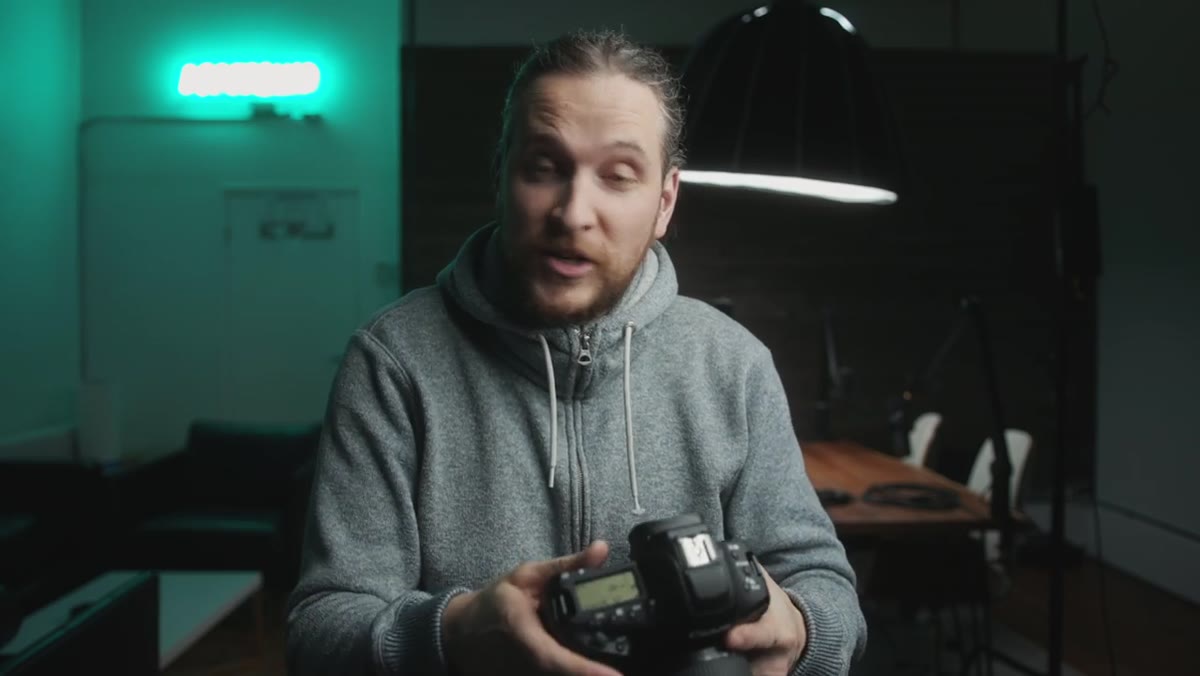 Hand holding camera near menu button before formatting
Most photographers think formatting a card is permanent and instant, which is exactly what makes this hack so counterintuitive. When you format a memory card, the camera doesn’t immediately overwrite all your image data. It clears the file index, essentially telling the card “start fresh from the beginning.” Your actual photo files are still sitting on the card physically until new data is written over them. This is the foundational piece of knowledge the whole technique depends on, so get comfortable with it before moving to the next step.
Hand holding camera near menu button before formatting
Most photographers think formatting a card is permanent and instant, which is exactly what makes this hack so counterintuitive. When you format a memory card, the camera doesn’t immediately overwrite all your image data. It clears the file index, essentially telling the card “start fresh from the beginning.” Your actual photo files are still sitting on the card physically until new data is written over them. This is the foundational piece of knowledge the whole technique depends on, so get comfortable with it before moving to the next step.
Step 2: Format the Card in Front of Whoever Is Asking You To
 Camera screen showing format confirmation menu
This is where it looks like magic. If you’re in a situation where someone is demanding you delete your photos or wipe your card, you can go into your camera’s menu, find the Format Card option (on Canon it lives in the main settings menu, on Sony it’s under Storage Settings, on Nikon look under the Setup Menu), and format it right there. The card will appear completely empty. The folder structure resets, the image count goes to zero, and anyone looking over your shoulder will see a blank card. You haven’t actually erased anything yet.
Camera screen showing format confirmation menu
This is where it looks like magic. If you’re in a situation where someone is demanding you delete your photos or wipe your card, you can go into your camera’s menu, find the Format Card option (on Canon it lives in the main settings menu, on Sony it’s under Storage Settings, on Nikon look under the Setup Menu), and format it right there. The card will appear completely empty. The folder structure resets, the image count goes to zero, and anyone looking over your shoulder will see a blank card. You haven’t actually erased anything yet.
Step 3: Do Not Take Any More Photos After Formatting
 Camera showing empty card after format is complete
This step is the one people miss. The moment you take a new photo after formatting, that new file starts overwriting the old data on the card. Every shot you fire after formatting increases the risk that your original images are permanently gone. Once you’ve formatted in front of whoever asked you to, pocket the camera, be polite, and walk away. Resist the urge to photograph anything else until you’ve recovered the files somewhere safe.
Camera showing empty card after format is complete
This step is the one people miss. The moment you take a new photo after formatting, that new file starts overwriting the old data on the card. Every shot you fire after formatting increases the risk that your original images are permanently gone. Once you’ve formatted in front of whoever asked you to, pocket the camera, be polite, and walk away. Resist the urge to photograph anything else until you’ve recovered the files somewhere safe.
Step 4: Use a Physical Trick to Confuse the Card Read State
 Photographer shaking camera gently in hand
Peter demonstrates a small physical gesture here that he uses with his Canon, basically giving the camera a light shake. The purpose isn’t superstition, it’s about making sure the camera registers the card correctly when you go back in to verify the files are still there. On some camera and card combinations, the card reader can cache a state. A light jostle, or simply ejecting and reinserting the card, helps the camera re-read the card’s actual state rather than a stored one. It’s a minor step but worth knowing.
Photographer shaking camera gently in hand
Peter demonstrates a small physical gesture here that he uses with his Canon, basically giving the camera a light shake. The purpose isn’t superstition, it’s about making sure the camera registers the card correctly when you go back in to verify the files are still there. On some camera and card combinations, the card reader can cache a state. A light jostle, or simply ejecting and reinserting the card, helps the camera re-read the card’s actual state rather than a stored one. It’s a minor step but worth knowing.
Step 5: Verify Your Files Are Still There Before Doing Anything Else
 Camera playback screen showing recovered photos reappearing
Once you’re clear of the situation, go into your camera’s playback mode. If you haven’t taken any new photos, your images should still be visible. Peter demonstrates this in the video and it’s genuinely surprising the first time you see it. The photos reappear in playback as if nothing happened. At this point you want to offload those files to a laptop or backup drive as fast as possible using a card recovery-aware workflow. Apps like Sandisk RescuePRO, Stellar Photo Recovery, or even the free version of Recuva on PC can pull files from a formatted card as long as nothing has overwritten them yet.
Camera playback screen showing recovered photos reappearing
Once you’re clear of the situation, go into your camera’s playback mode. If you haven’t taken any new photos, your images should still be visible. Peter demonstrates this in the video and it’s genuinely surprising the first time you see it. The photos reappear in playback as if nothing happened. At this point you want to offload those files to a laptop or backup drive as fast as possible using a card recovery-aware workflow. Apps like Sandisk RescuePRO, Stellar Photo Recovery, or even the free version of Recuva on PC can pull files from a formatted card as long as nothing has overwritten them yet.
Step 6: Get the Files Off the Card Immediately
 Camera playback confirming images still intact after format
Don’t put the card back in your camera bag and go shoot more. Don’t let it sit in your pocket for three days. The second you can plug that card into a reader and back up those files, do it. The window between “formatted but recoverable” and “gone forever” closes the moment that card gets used again. Treat the formatted card like a live grenade until the files are safely backed up somewhere else.
Camera playback confirming images still intact after format
Don’t put the card back in your camera bag and go shoot more. Don’t let it sit in your pocket for three days. The second you can plug that card into a reader and back up those files, do it. The window between “formatted but recoverable” and “gone forever” closes the moment that card gets used again. Treat the formatted card like a live grenade until the files are safely backed up somewhere else.
A Note From My Own Experience: This Isn’t a License, It’s a Last Resort
I want to be honest about how I actually use this knowledge. In practice, I’ve only been in a handful of situations where someone approached me about my camera, and every time I’ve simply left without any confrontation at all. The value of knowing this technique isn’t that it makes you bolder or more willing to push into off-limits spaces. The value is that it removes a specific kind of low-stakes anxiety: the fear of losing genuinely good work over a misunderstanding.
What I’ve found more useful in the long run is researching locations before I go, building a habit of asking first when there’s someone obvious to ask, and being transparent about what I’m doing. My Sunday photo walks around Seattle have gotten a lot smoother since I stopped acting like I was doing something suspicious. But when the unexpected happens, and it will, knowing your gear and how it actually behaves at a technical level is always better than not knowing.
The single most important thing to take from Peter’s tutorial is this: a formatted card is not a deleted card, and understanding that one fact opens up a whole layer of control you didn’t know you had. Whether you ever find yourself in a guerrilla photography situation or not, knowing how your memory card actually handles data makes you a more confident photographer.
Watch the full tutorial on YouTube to see Peter walk through each of these steps live, including the moment the photos reappear on playback. It’s one of those things that’s genuinely easier to absorb when you see it happen in real time.
Comments
Leave a Comment