
I have a playlist I made called “big project energy.” It’s the one I put on when I’m staring down a creative problem that feels bigger than my skill set. Green screen compositing used to be that problem for me. I’d shoot the footage, key out the background, and end up with something that looked like a local news segment from 2003. The edges were rough, the lighting never matched, and the whole thing screamed “fake.”
That’s exactly why I kept coming back to this particular Peter McKinnon tutorial. In it, McKinnon takes a clip he shot in front of a green screen in his warehouse and opens it up to the internet, challenging his community to composite it into something impressive. He then reviews ten of the best submissions. What unfolds is less of a technical breakdown and more of a live critique session where you get to see, side by side, what separates a convincing composite from a mediocre one. It’s one of the most useful pieces of VFX education I’ve found, and it’s disguised as a reaction video. Watch the full tutorial on YouTube before or after you read this. Either way works.
The lesson isn’t really about green screens. It’s about understanding what the human eye expects to see when a person exists inside an environment, and then delivering exactly that through your edit.
Step 1: Shoot a Clean, Versatile Green Screen Clip
 Peter running in front of a warehouse green screen
The foundation of every submission McKinnon reviews is the same source clip: a simple running motion, shot against a clean green screen in a controlled warehouse space. What makes it versatile is how neutral it is. The subject is lit evenly, the action is physical and dynamic, and there’s nothing in the original footage tying it to a specific environment. When you shoot green screen footage with intent to share or repurpose it, you want to think like a blank canvas. Avoid colored gels on your subject that would fight with a new background, and keep the motion energetic enough that it reads in any context.
Peter running in front of a warehouse green screen
The foundation of every submission McKinnon reviews is the same source clip: a simple running motion, shot against a clean green screen in a controlled warehouse space. What makes it versatile is how neutral it is. The subject is lit evenly, the action is physical and dynamic, and there’s nothing in the original footage tying it to a specific environment. When you shoot green screen footage with intent to share or repurpose it, you want to think like a blank canvas. Avoid colored gels on your subject that would fight with a new background, and keep the motion energetic enough that it reads in any context.
Step 2: Color Match the Subject to the New Background
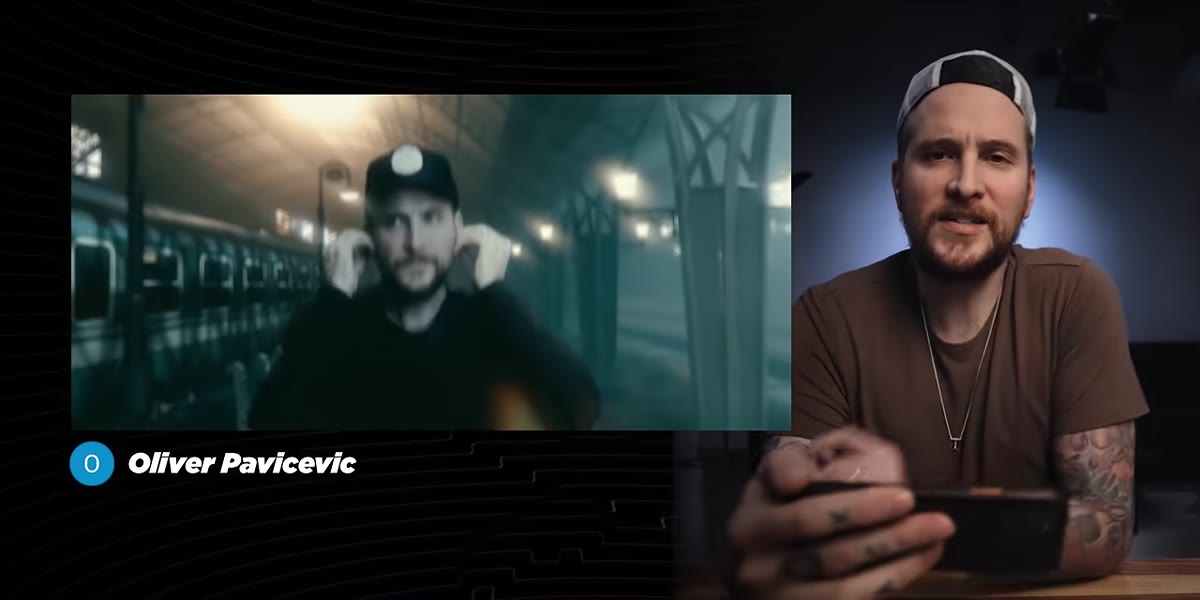 Composite clip with subject matched to a train background
The second submission McKinnon reviews earns praise specifically for color matching, and this is the note I wrote in all caps in my own notebook when I first watched this. Color matching means adjusting the tones, shadows, and highlights on your subject so they feel like they were lit by the same light source as the background plate. If your background is a cool-toned overcast city, your subject shouldn’t look like they were lit by a warm studio key light. In your editing software, whether that’s Premiere Pro, DaVinci Resolve, or After Effects, apply a color grade to your subject layer that pulls it toward the ambient tone of the environment. This single step does more for believability than almost anything else.
Composite clip with subject matched to a train background
The second submission McKinnon reviews earns praise specifically for color matching, and this is the note I wrote in all caps in my own notebook when I first watched this. Color matching means adjusting the tones, shadows, and highlights on your subject so they feel like they were lit by the same light source as the background plate. If your background is a cool-toned overcast city, your subject shouldn’t look like they were lit by a warm studio key light. In your editing software, whether that’s Premiere Pro, DaVinci Resolve, or After Effects, apply a color grade to your subject layer that pulls it toward the ambient tone of the environment. This single step does more for believability than almost anything else.
Step 3: Use Depth of Field to Sell the Composite
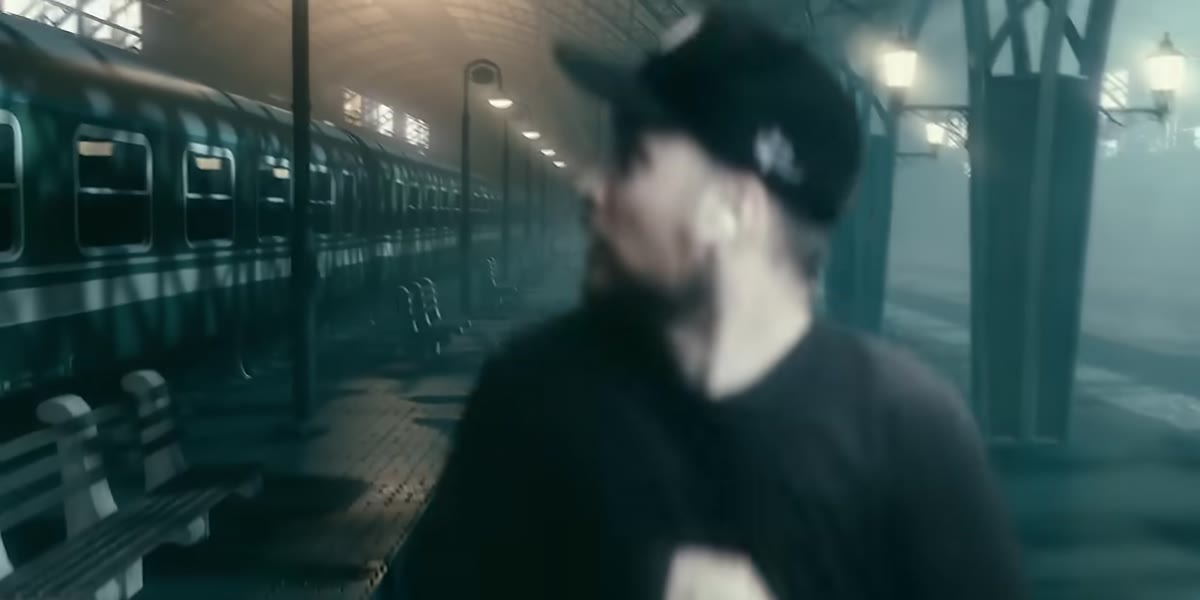 Background train blurs as subject moves, then refocuses
One of the cleverest techniques in the reviewed submissions is the use of simulated depth of field. In one composite, the background blurs as if a real camera is racking focus, then sharpens again once the subject’s movement settles. This works because our eyes are trained by years of watching film and television to associate focus shifts with physical, real-world cameras. If everything in your composite is sharp at the same time, it immediately reads as artificial. Adding a subtle blur to your background layer, or animating a focus pull using masks, gives the impression that a real lens captured the scene. Most compositing software lets you apply a lens blur effect to a background plate and keyframe its intensity over time.
Background train blurs as subject moves, then refocuses
One of the cleverest techniques in the reviewed submissions is the use of simulated depth of field. In one composite, the background blurs as if a real camera is racking focus, then sharpens again once the subject’s movement settles. This works because our eyes are trained by years of watching film and television to associate focus shifts with physical, real-world cameras. If everything in your composite is sharp at the same time, it immediately reads as artificial. Adding a subtle blur to your background layer, or animating a focus pull using masks, gives the impression that a real lens captured the scene. Most compositing software lets you apply a lens blur effect to a background plate and keyframe its intensity over time.
Step 4: Play With Scale and Perspective Creatively
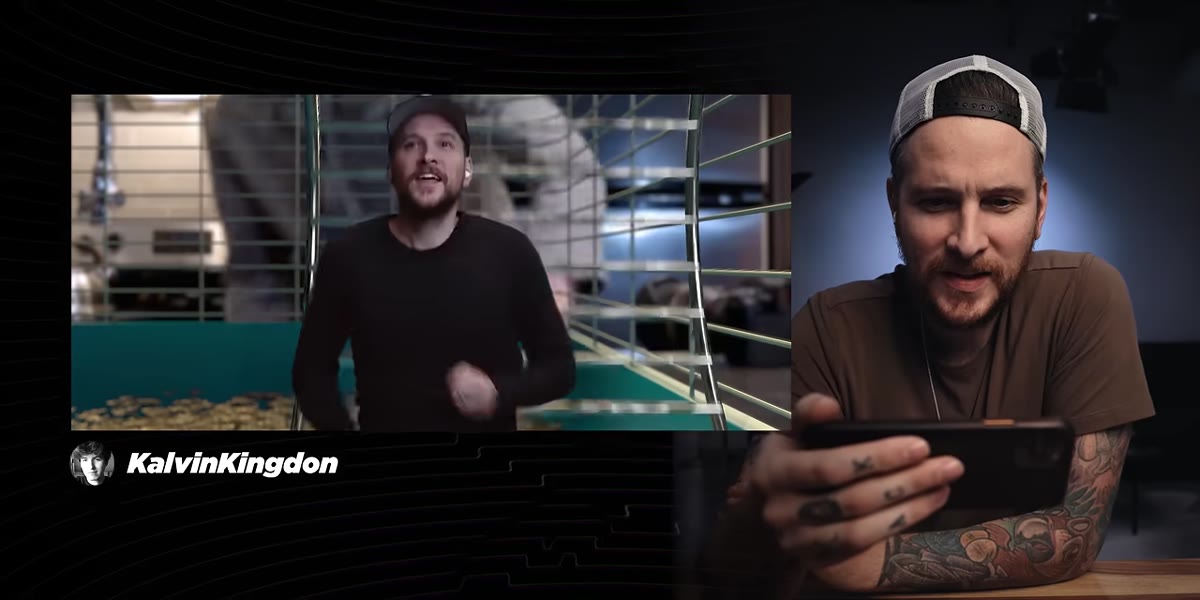 Subject appears miniaturized inside a spinning hamster wheel
Not every composite needs to be photorealistic. One submission McKinnon highlights puts him inside a giant hamster wheel, shrinking the subject to miniature scale. McKinnon’s take is generous: the technical execution isn’t the strongest, but the creative concept earns serious points. This is worth internalizing. When you’re learning compositing, creativity can carry you further than technical polish. Scale manipulation, forced perspective, and absurdist placements are all valid tools. They also tend to hide the rough edges of a less-than-perfect key, because the audience is too delighted to scrutinize the matte lines.
Subject appears miniaturized inside a spinning hamster wheel
Not every composite needs to be photorealistic. One submission McKinnon highlights puts him inside a giant hamster wheel, shrinking the subject to miniature scale. McKinnon’s take is generous: the technical execution isn’t the strongest, but the creative concept earns serious points. This is worth internalizing. When you’re learning compositing, creativity can carry you further than technical polish. Scale manipulation, forced perspective, and absurdist placements are all valid tools. They also tend to hide the rough edges of a less-than-perfect key, because the audience is too delighted to scrutinize the matte lines.
Step 5: Layer Environmental Elements in Front of the Subject
 Dust and debris pass in front of the composited subject
Several of the strongest submissions add foreground elements, things like dust, smoke, sparks, or debris, that pass in front of the subject rather than only behind them. This is one of the most reliable ways to make a composite feel three-dimensional. When elements only exist behind your subject, the brain perceives them as a flat backdrop. The moment something crosses in front of the subject, the spatial relationship locks in and the scene feels real. In After Effects, this means placing particle systems or stock footage elements on layers above your subject layer. Even a subtle wisp of fog in the foreground adds significant depth.
Dust and debris pass in front of the composited subject
Several of the strongest submissions add foreground elements, things like dust, smoke, sparks, or debris, that pass in front of the subject rather than only behind them. This is one of the most reliable ways to make a composite feel three-dimensional. When elements only exist behind your subject, the brain perceives them as a flat backdrop. The moment something crosses in front of the subject, the spatial relationship locks in and the scene feels real. In After Effects, this means placing particle systems or stock footage elements on layers above your subject layer. Even a subtle wisp of fog in the foreground adds significant depth.
Step 6: Match the Camera Movement and Framing Style
 Camera punches in close on subject during alien composite sequence
One of the later submissions McKinnon reacts to most enthusiastically simulates a camera push-in mid-scene, zooming closer on the subject while the environment shifts around them. This mimics how a real camera operator might respond to the action. The lesson here is that the “camera” doesn’t have to be static just because the original footage was shot on a locked-off tripod. In post, you can animate the position and scale of your composite to simulate handheld movement, a crash zoom, or a slow push. When the virtual camera moves in sync with the energy of the scene, the whole piece feels like it was captured rather than constructed.
Camera punches in close on subject during alien composite sequence
One of the later submissions McKinnon reacts to most enthusiastically simulates a camera push-in mid-scene, zooming closer on the subject while the environment shifts around them. This mimics how a real camera operator might respond to the action. The lesson here is that the “camera” doesn’t have to be static just because the original footage was shot on a locked-off tripod. In post, you can animate the position and scale of your composite to simulate handheld movement, a crash zoom, or a slow push. When the virtual camera moves in sync with the energy of the scene, the whole piece feels like it was captured rather than constructed.
Step 7: Commit Fully to the Sound Design
 Jets, explosions, and environmental audio layered over running composite
Multiple winning submissions pair their visuals with audio that matches the environment: jet engines, explosions, ambient city noise, the specific low rumble of a tunnel. McKinnon responds to sound just as much as visuals throughout the video. Audio is doing half the work in any composite, and it’s the most overlooked half. If your background is a thunderstorm, add rain audio. If it’s a sci-fi corridor, add a low hum and reverb on the footsteps. Sound design communicates environment to the brain before the eyes even finish processing what they’re seeing.
Jets, explosions, and environmental audio layered over running composite
Multiple winning submissions pair their visuals with audio that matches the environment: jet engines, explosions, ambient city noise, the specific low rumble of a tunnel. McKinnon responds to sound just as much as visuals throughout the video. Audio is doing half the work in any composite, and it’s the most overlooked half. If your background is a thunderstorm, add rain audio. If it’s a sci-fi corridor, add a low hum and reverb on the footsteps. Sound design communicates environment to the brain before the eyes even finish processing what they’re seeing.
What I’d Add From My Own Experience
The submissions McKinnon rates highest all share something beyond technical skill: they made a choice about story. The best composite in the video isn’t just visually impressive, it creates a small narrative arc, a sense that something is at stake for the person running. When I started applying this to my own video work, I stopped asking “does this look real?” and started asking “does this feel like something is happening?” Those are different questions, and the second one is more useful. Even a rough composite reads as intentional if the edit around it suggests purpose.
If you want to practice this technique, shoot yourself against any solid-colored background, pull the clip into DaVinci Resolve or Premiere, and drop a free stock environment behind yourself. Focus entirely on the color match first. Get that right before you touch anything else. Once the lighting feels shared between you and the background, everything else becomes easier to sell.
The single most transferable lesson from this video: a convincing composite isn’t about making the VFX invisible. It’s about making the viewer forget to look for them. Watch the full tutorial on YouTube and pay attention to which submissions make McKinnon pause and rewind. Those moments tell you everything.
Comments
Leave a Comment