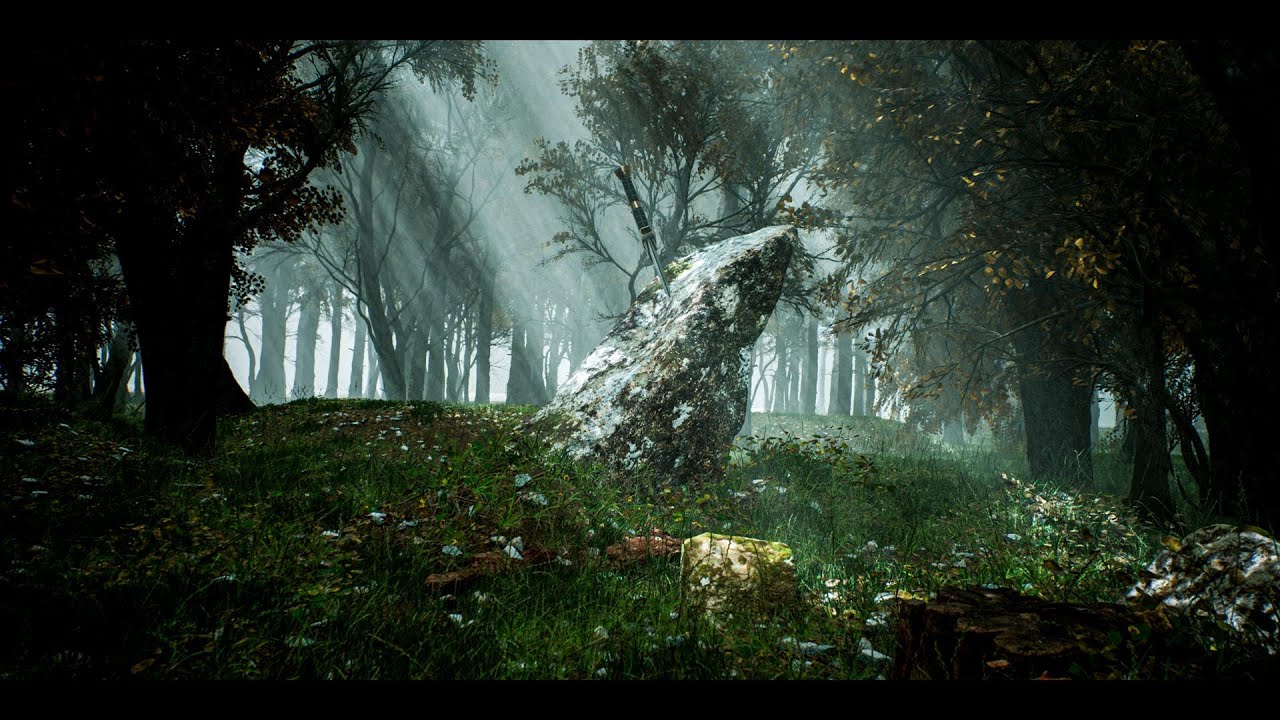
Creating a Photorealistic Forest in Unreal Engine 5: A Beginner’s Step-by-Step Guide
I’ve always been fascinated by how digital environments can look indistinguishable from real photography. When I discovered Serge Ramelli’s beginner tutorial on creating a forest in Unreal Engine 5, I knew I had to break it down for our community. Whether you’re a photographer looking to expand into 3D visualization or someone curious about environment design, this guide will walk you through building a complete forest scene with animations.
Getting Started: Setting Up Your Project
In this excellent tutorial, Serge Ramelli shows us how to begin with a properly configured startup file. Here’s what you need to do:
- Download the starter project from the link provided in the video description
- Launch Unreal Engine 5 with the downloaded project file
- Create a blank level to work with—this gives you a clean canvas without default assets
I recommend starting with a blank level rather than using preset environments. This approach teaches you the fundamentals and gives you complete creative control. You’ll understand each element you add, which makes troubleshooting much easier when something doesn’t look quite right.
Building Your Environment Foundation
Setting Up Lighting and Atmosphere
The first critical step involves connecting your sun to the atmospheric system:
- Place a Directional Light in your scene (this acts as your sun)
- Connect it to the Sky Atmosphere component
- Adjust the light’s rotation to control the time of day and lighting angle
This connection is essential for photorealistic results. The sky atmosphere won’t respond correctly to your sun’s position unless they’re properly linked. I can’t stress enough how much this affects your final render quality—it’s the difference between a bright, natural-looking scene and one that feels flat or artificial.
Creating and Sculpting the Landscape
Next, you’ll need terrain:
- Create a basic landscape using Unreal’s landscape tools
- Sculpt the landscape to add hills, valleys, and natural-looking elevation changes
- Use the sculpting brush to paint elevation—think of it like digital clay modeling
When sculpting, I suggest making multiple passes with varying brush sizes. Start with large strokes to establish overall terrain shape, then use smaller brushes for details. This creates more natural-looking topography than trying to perfect everything in one pass.
Populating Your Forest with Assets
Importing Trees and Assets
- Navigate to the Marketplace within Unreal Engine
- Download tree assets and foliage (Serge uses several free and premium options)
- Import them into your project following the marketplace prompts
Creating Landscape Surface Details
Before adding your main trees, prepare the ground:
- Add base textures to your landscape (grass, dirt, moss)
- Adjust texture tiling to control scale—higher tiling values create smaller, more detailed patterns
- Layer multiple textures to create visual interest and variation
I recommend using at least 2-3 different ground textures in varying proportions. This prevents the landscape from looking repetitive or artificial. Real forests have varied ground cover, not uniform surfaces.
Strategic Foliage Placement
- Use the foliage tool to scatter small plants, bushes, and undergrowth
- Adjust density settings to avoid overcrowding or sparse areas
- Vary foliage types across your forest for authenticity
This is where patience pays off. Spend time with the foliage tool—it’s like digital painting but in three dimensions.
Advanced Forest Building Techniques
Adding Mega Scan Trees
For your main trees, Serge demonstrates using Mega Scans from Quixel:
- Import high-quality photogrammetry trees from Mega Scans
- Position and scale these trees throughout your landscape
- Vary their size, rotation, and placement to avoid a formulaic appearance
Mega Scans trees are photogrammetry-based, meaning they’re created from real photographs of actual trees. This is why they look so realistic. When placing them, avoid perfect grids or patterns—real forests grow organically.
Building the Complete Forest
- Create clusters of trees rather than spreading them evenly
- Layer your forest with trees at different depths for visual depth
- Leave some clearings to break up density and create visual interest
Think about how real forests actually grow. They have dense areas, sparse areas, natural paths, and varied composition based on terrain and conditions.
Enhancing Atmosphere and Environment
Adding Atmospheric Fog
- Insert an Atmospheric Fog component into your scene
- Adjust fog density and color to match your desired time of day
- Fine-tune fog distance to control visibility range
Fog adds tremendous atmosphere and helps with depth perception in your render. I typically use warmer fog tones during golden hour and cooler tones during overcast conditions.
Implementing Wind Effects
- Enable wind in your material settings
- Adjust wind strength and direction parameters
- Apply wind effects to foliage and trees for natural movement
Wind brings your scene to life. Without it, even photorealistic assets look static and artificial.
Changing Seasons
- Modify material parameters to change foliage color
- Adjust lighting and atmospheric values for seasonal mood
- Create different versions of your scene for comparison
This is where I find the most creative satisfaction—the same forest can look dramatically different with simple color and lighting adjustments.
Post-Processing and Animation
Using Post Process Volumes
- Add a Post Process Volume to your level
- Adjust exposure, color grading, and contrast
- Apply bloom and other effects for cinematic quality
Post-processing is where you can make or break your final image. Subtle adjustments here mimic professional photography workflows.
Creating Animation
- Record camera movements through your forest
- Export your animation as a video sequence
- Use DaVinci Resolve for final editing and color grading
Serge demonstrates creating smooth camera paths that showcase your forest from multiple angles.
Watch the Full Tutorial
I’ve covered the essential steps, but Serge’s full tutorial contains valuable nuances and demonstrations I can’t capture in written form. The video shows exact tool placements, timing, and creative decision-making that will accelerate your learning.
Ready to build your forest? Watch Serge Ramelli’s complete tutorial and download the startup files. Take your time with each section, and don’t hesitate to experiment beyond what’s shown—that’s how real learning happens.